
Chat Prompt GPT, Midjourney
Search and store tool for GPT Chat Prompt, Midjourney
Welcome to Chat-Prompt.com, a searchable database and platform for exchanging templates for use with the Chat GPT and other AI models.
A text-based request can instruct the ChatGPT model, a big language model developed by OpenAI, to produce text that resembles human writing. Although it can assist you in producing responses, ChatGPT will be unable to do so if the input is inaccurate or does not properly express your goals. Because of this, Chat-Prompt.com was developed to make it easier for you to store and find intriguing prompts to produce the outcomes you need.
You can find a variety of templates in different sectors and topics in Chat-repository Prompt's to meet your demands. To save time while still doing the task precisely and fast, we want to encourage everyone to develop new templates for the community.
You only need to click the copy button on the templates you want to use as input for the Chat GPT to get started utilizing them. These templates might serve as models for new ones that you design.
We hope that Chat-Prompt.com will be a resource for you to find helpful templates to utilize with ChatGPT.
Summing Cells with the SUMIF and SUMIFS Functions in Excel
How to use the SUMIF and SUMIFS functions to sum cells that meet specific criteria
Creating a Powerful Lookup Formula Using the INDEX and MATCH Functions Together
How to use the INDEX and MATCH functions together to create a powerful lookup formula
Using the VLOOKUP Function to Retrieve Data from a Table
How to use the VLOOKUP function to retrieve data from a table based on a lookup value
Understanding Google Sheets Data Protection Feature to Track Changes in Protected Cells
How do I use the Google Sheets Data protection feature to track changes made to protected cells?
How to Use Google Sheets Data Protection Feature to Allow Certain Users to Edit Protected Cells
How do I use the Google Sheets Data protection feature to allow certain users to edit protected cells?
Understanding Google Sheets Data Protection and Conditional Formatting for Protected Cells
How do I use the Google Sheets Data protection feature to set conditional formatting rules for protected cells?
How to Set Password Protection for a Google Sheets Sheet
How do I use the Google Sheets Data protection feature to set password protection for a sheet?
Using Google Sheets Data Protection Feature to Protect Cells from Editing
How do I use the Google Sheets Data protection feature to protect cells from editing?
Using Google Sheets Text Functions to Clean and Format Data in a Sheet
How do I use the Google Sheets Text functions (e.g., UPPER, LOWER, PROPER, CONCATENATE) to clean and format data in a sheet?
How to Use Google Sheets Data Validation Feature to Copy Validation Rules to Other Sheets
How do I use the Google Sheets Data validation feature to copy validation rules to other sheets?
Using Google Sheets Data Validation Feature to Apply Validation to Multiple Cells
How do I use the Google Sheets Data validation feature to apply validation to multiple cells?
Understanding Google Sheets Data Validation Feature to Display Custom Input Messages
How do I use the Google Sheets Data validation feature to display custom input messages?
Creating Drop-Down Lists Using Google Sheets Data Validation Feature
How do I use the Google Sheets Data validation feature to create drop-down lists?
Using Google Sheets Custom Formula Formatting to Format Data
How do I use the Google Sheets custom formula formatting feature to format data?
Using Google Sheets Custom Cell Formatting to Format Data
How do I use the Google Sheets custom cell formatting feature to format data?
Using Google Sheets Custom Text Formatting Feature to Format Data
How do I use the Google Sheets custom text formatting feature to format data?
How to Use Google Sheets Custom Percentage Formatting Feature to Format Data
How do I use the Google Sheets custom percentage formatting feature to format data?
How to Use Google Sheets Custom Currency Formatting Feature
How do I use the Google Sheets custom currency formatting feature to format data?
How to Use Google Sheets Custom Date Formatting Feature to Format Data
How do I use the Google Sheets custom date formatting feature to format data?
Using the Google Sheets Custom Number Formatting Feature to Format Data
How do I use the Google Sheets custom number formatting feature to format data?
How to Use Google Sheets Themes Feature to Format Data
How do I use the Google Sheets themes feature to format data?
Using Google Sheets Styles Feature to Format Data
How do I use the Google Sheets styles feature to format data?
Creating Custom Reporting Functions with the Google Sheets Script Editor
How do I use the Google Sheets Script editor to create custom reporting functions?
Creating Custom Validation Functions with Google Sheets Script Editor
How do I use the Google Sheets Script editor to create custom validation functions?
Creating Custom Export Functions with the Google Sheets Script Editor
How do I use the Google Sheets Script editor to create custom export functions?
Create a Custom Import Function with Google Sheets Script Editor
How do I use the Google Sheets Script editor to create custom import functions?
Creating Custom Macros Using Google Sheets Script Editor
How do I use the Google Sheets Script editor to create custom macros?
Create a Custom Trigger in Google Sheets Script Editor
How do I use the Google Sheets Script editor to create custom triggers?
Creating Custom Dialogs with Google Sheets Script Editor
How do I use the Google Sheets Script editor to create custom dialogs?
Create a Custom Menu Using the Google Sheets Script Editor
How do I use the Google Sheets Script editor to create custom menus?
What is “prompt engineering”?
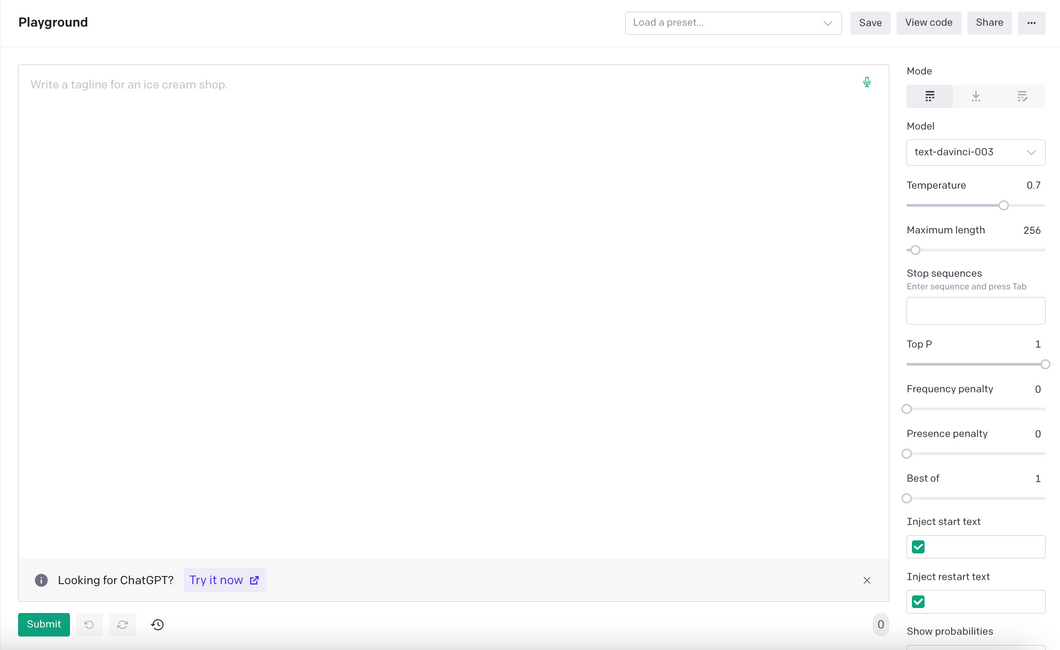
A “prompt” is the input that guides a generative AI model to generate useful outputs. Generative AI tools like ChatGPT, GPTs, DALL·E 2, Stable Diffusion, Midjourney, etc. all require prompting as their input.
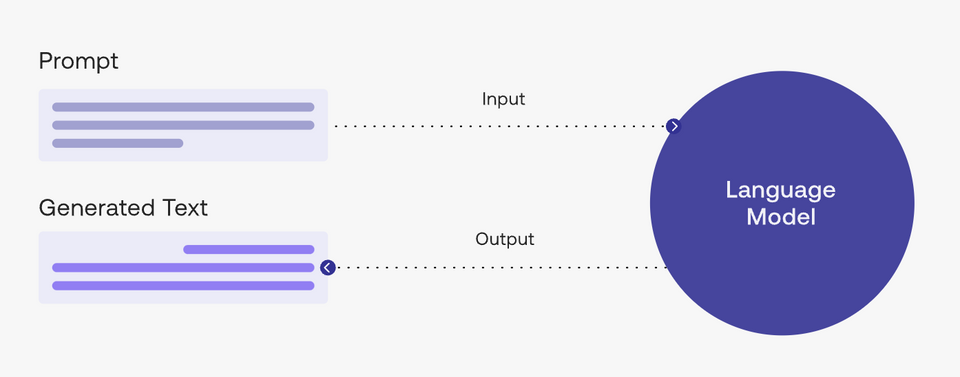
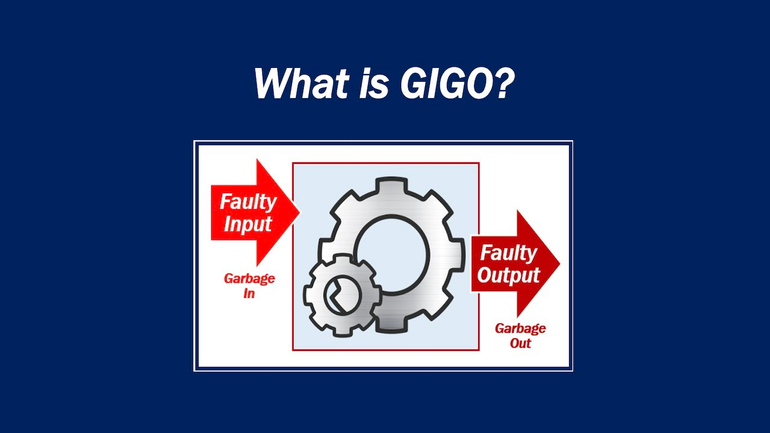
In a natural language processing (NLP) context, “prompt engineering” is the process of discovering inputs that yield desirable or useful results. As is the story with any processes, better inputs yield better outputs; or commonly said another way “garbage in, garbage out.”
Become a prompt researcher instead of engineer
- If you’re already a subject matter expert in something, consider figuring out how to apply your personal skills to generating the best prompts in your field
- For example, if you’re an expert in SEO, what questions do you ask yourself when creating SEO strategies? How can you translate this knowledge into better prompts to generate the same level of output with AI?
Become a prompt researcher instead of engineer
- The term prompt engineer glosses over the idea that prompt formulation takes hypothesizing, research, result measurement, and repetition. Instead, approach prompting like a research project.
- Try as many different variations and formulations of your prompt as possible. One problem can have hundreds of solutions and one solution can have hundreds of approaches. The same can be said of prompting.